
Highlights
- New open-source release: UVLM v2.2.2 — compare Vision-Language Models from a single notebook
- 11 AI models, 5 analysis tasks, 120 test images — all benchmarked with one tool
- No coding, no installation — runs in Google Colab with a free account
Imagine you have thousands of street photographs and you need to answer the same questions about each one: how many cars are parked? Is there a sidewalk? How long is the building frontage? Hiring someone to go through every image manually would take weeks. Training a custom computer vision model would take months. But what if you could simply ask an AI model these questions in plain English — and get structured, usable answers back?
That is exactly what Vision-Language Models do. And today, we are releasing UVLM — an open-source tool that makes it easy to load, test, and compare these models, all from a single notebook in your browser.
What Are Vision-Language Models?
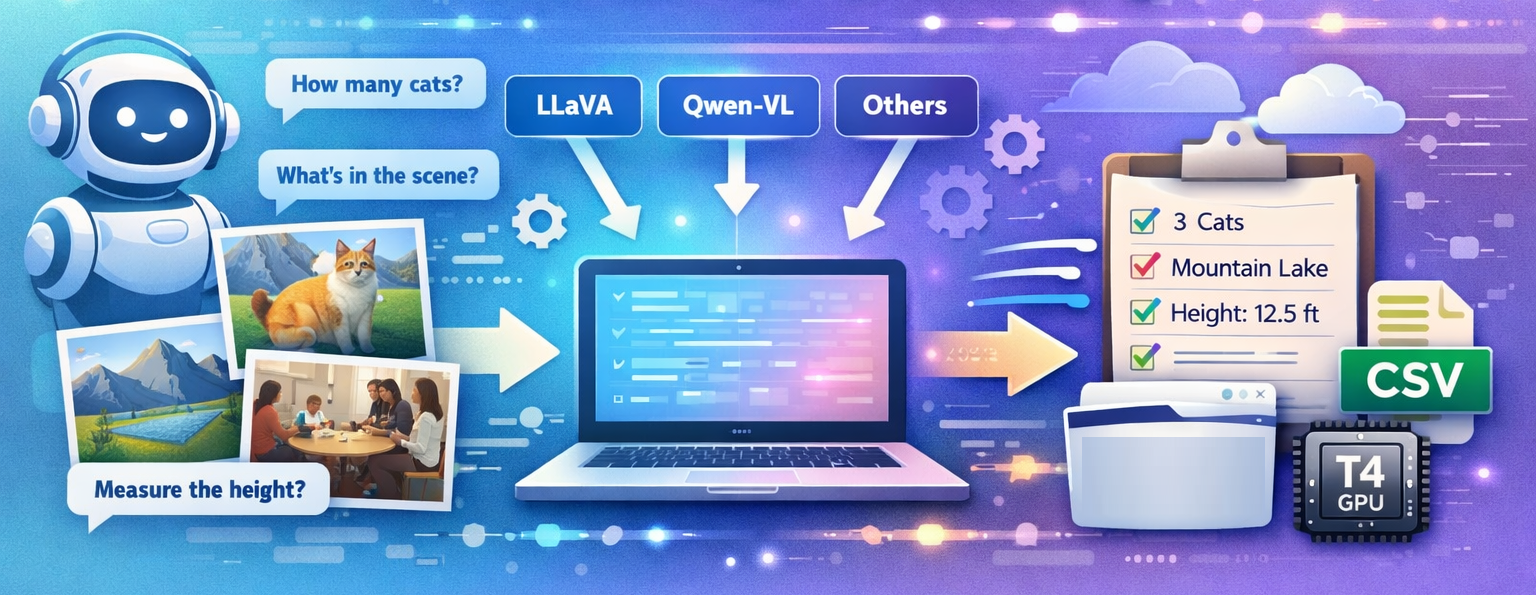
Vision-Language Models (VLMs) are AI systems that can look at an image and answer questions about it in natural language. Unlike traditional computer vision, which requires training a separate model for every task (one for counting cars, another for detecting sidewalks, a third for classifying buildings), a VLM handles all of these through text prompts. You write a question, attach a photo, and the model responds.
For example, you can ask a VLM: “Count all motor vehicles visible in this image” and it will answer “3”. You can ask the same model “Is there a sidewalk along the street frontage?” and it will answer “yes”. You can even ask it to estimate the length of a building facade in meters — a task that requires the model to identify reference objects (like parked cars), estimate their size, and reason about perspective. All of this from a single model, with no retraining and no labelled dataset.
The catch is that there are many VLM families available (LLaVA, Qwen, InternVL, BLIP-2, and more), and each one works differently under the hood. They use different image encoders, different tokenisation strategies, and different code to run. If you want to know which model is best for your specific task, you normally have to write separate code for each one — a tedious and error-prone process.
This Is the Problem UVLM Solves
UVLM (Universal Vision-Language Model Loader) is a free, open-source tool that lets you load, configure, and compare multiple VLM architectures using the same prompts and the same evaluation protocol — without writing any model-specific code. It runs entirely in Google Colab, which means you do not need to install anything on your computer or own a GPU. A free Google account is all you need.
The idea is simple: you pick a model from a dropdown menu, type your analysis questions into a form, point the tool at a folder of images, and hit run. UVLM handles all the technical details — the processor classes, the tokenisation, the generation settings, the output parsing — and delivers a clean CSV file with one row per image and one column per task. If you want to try a different model, you just switch the dropdown and run again. Same prompts, same images, same output format. Now you can compare.
A Practical Example: Scoring 120 Street Photographs
To demonstrate what UVLM can do, we benchmarked 8 different models on 120 street-level photographs of French urban frontages. Each image was analysed on five tasks: counting vehicles, detecting sidewalks, counting pedestrian entrances, estimating the street frontage length in meters, and classifying the vegetation type. That is 16 model configurations (each model tested in standard and advanced reasoning modes), 120 images, and 5 tasks per image — all processed and compared through UVLM.
The results were revealing. The largest model (LLaVA 34B, with 34 billion parameters) actually ranked last overall. A much smaller model (LLaVA Vicuna 7B) outperformed it significantly and ran on a free Google Colab GPU. The best overall results came from Qwen 32B with chain-of-thought reasoning enabled, which achieved 88% proximity to human expert annotations across all five tasks. Without UVLM, discovering these differences would have required writing and debugging eight separate inference pipelines.
Who Is UVLM For?
UVLM was designed for anyone who works with images and wants to extract structured information from them at scale — without becoming a machine learning engineer. If you are an urban planner evaluating streetscape quality across a city, UVLM lets you score thousands of street photographs using natural language prompts. If you are an environmental researcher classifying vegetation from field photographs, UVLM lets you test which AI model gives the most reliable results for your specific classification scheme. If you are an infrastructure inspector processing damage assessment photographs, UVLM lets you set up automated counting and scoring tasks and run them across your entire image archive.
The tool is also valuable for AI researchers who need a controlled benchmarking environment. Because UVLM ensures that every model receives exactly the same prompt and is evaluated with the same metrics, it produces fair, reproducible comparisons. The consensus validation feature (running each task multiple times and taking a majority vote) addresses the inherent randomness of AI outputs, and the truncation detection feature flags when a model’s response was cut off before it could finish — a common but often invisible source of errors.
How to Get Started
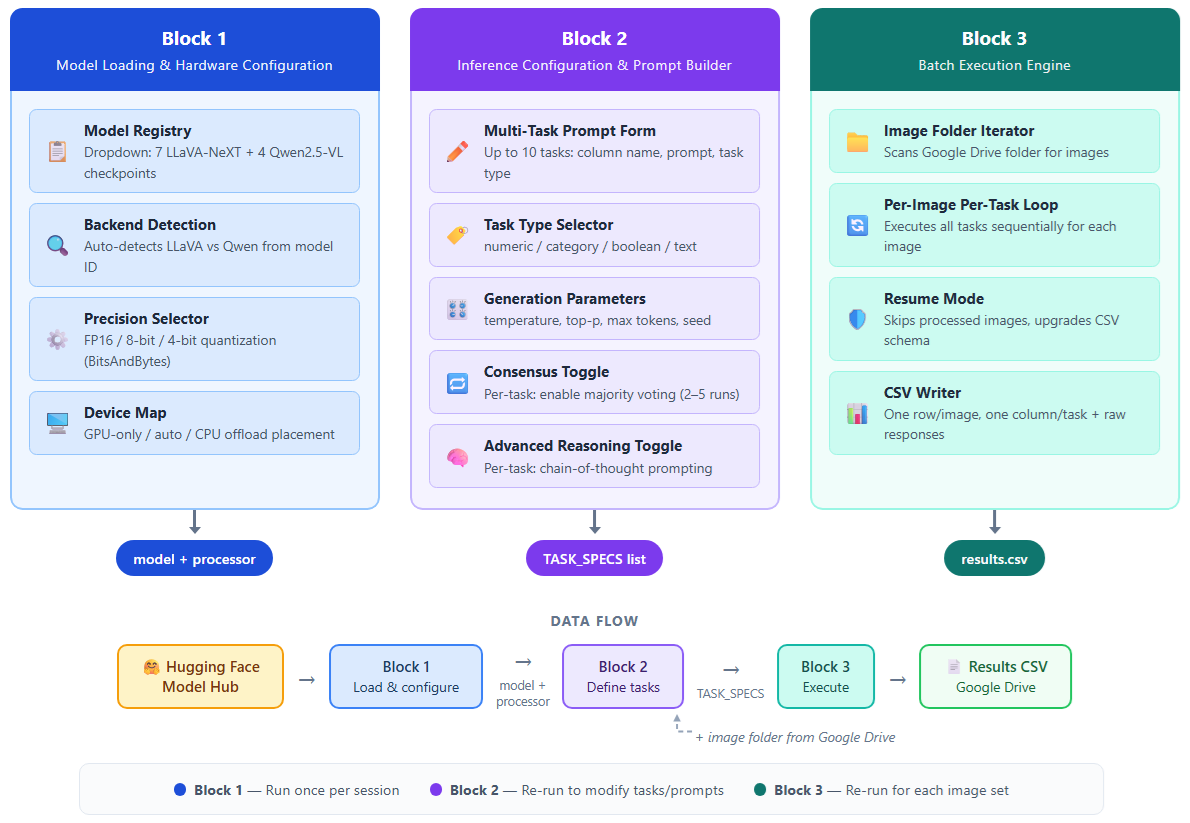
Getting started takes about five minutes. Open the UVLM notebook from GitHub (the link is below), connect to a GPU runtime in Google Colab, and run the first block to load a model. The second block gives you a form where you type your analysis questions — no coding required. The third block processes your images and saves the results as a CSV file on your Google Drive.
The tool currently supports 11 model checkpoints from two major families (LLaVA-NeXT and Qwen2.5-VL), ranging from 3 billion to 110 billion parameters. Models up to 34B can run on a single free-tier Colab GPU with 4-bit quantisation. Advanced features include consensus validation (2–5 runs per task with majority voting), chain-of-thought reasoning for complex tasks, and automatic truncation detection.
UVLM is released under the Apache 2.0 open-source licence. You can use it, modify it, and build on it for any purpose — academic or commercial.
Links
Source code: github.com/perezjoan/UVLM
Paper: arXiv preprint — Perez & Fusco (2026)
UVLM page on this site: urbangeoanalytics.com › Softwares & Algorithms › UVLM
Benchmark dataset: Zenodo — 120 street-view images
Citation
If you use UVLM in your work, please cite:
Perez, J. & Fusco, G. (2026). UVLM: A Universal Vision-Language Model Loader for Reproducible Multimodal Benchmarking. arXiv:2603.13893
Table of contents
Leave A Comment